Microsoft Teams Rooms vs Zoom Rooms: How to Choose
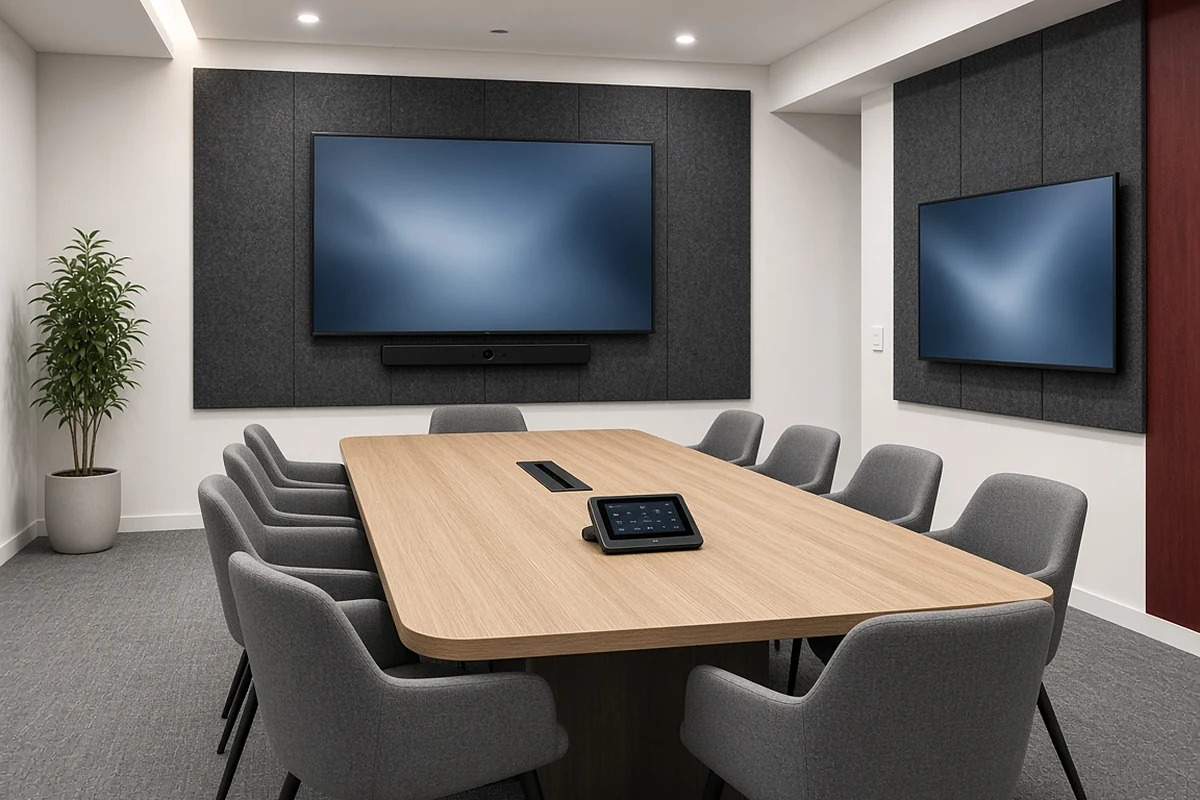
Microsoft Teams Rooms or Zoom Rooms? Compare platforms, hardware, management and guest joining to choose the right meeting room system for your office.
Most organisations in Pakistan now run hybrid meetings every day, with colleagues in Lahore, Karachi and Islamabad joining clients in the Gulf, Europe or North America. A dedicated room system makes those meetings start with one touch instead of a laptop, three adapters and an apology. The two platforms most companies consider are Microsoft Teams Rooms and Zoom Rooms. Both are mature and capable, so the right choice depends less on which is better and more on how your organisation already works.
What a room system actually is
A meeting room system is a dedicated computer or appliance in the room that runs the meeting platform, connected to a camera, microphones, loudspeakers, one or two displays and a touch controller on the table. It is signed in with a room account rather than a person's account, so anyone can walk in, tap Join and start. Compared with a laptop on a cable, this gives consistent audio, managed updates and a calendar on the door or table that shows whether the room is free.
Microsoft Teams Rooms
Teams Rooms is built for organisations that already use Microsoft 365. It ties into Outlook calendars, Exchange room mailboxes and Microsoft Entra ID, so booking and joining feel the same as on a desktop.
- Two device families: Teams Rooms on Windows, usually a compute unit with a touch console, and Teams Rooms on Android, often an all in one video bar.
- Licensing: Microsoft offers a Basic tier with core meeting features and a Pro tier that adds richer in room features and remote management through the Teams Rooms Pro Management portal.
- Strengths: dual screen layouts, front row view, intelligent speaker features on supported hardware and native integration with Teams chat and files.
- Guest meetings: Direct Guest Join lets a Teams Room join Zoom and Webex meetings from the calendar invitation, with a simplified feature set.
Zoom Rooms
Zoom Rooms suits organisations that run their meetings on Zoom, or that want a platform that feels identical in the room and on personal devices.
- Flexible hardware: runs on Windows and Mac computers as well as Android appliances, so it fits both custom built rooms and simple video bars.
- Calendar choice: works with Microsoft 365 and Google Workspace calendars.
- Management: device management and room monitoring are handled from the Zoom admin portal.
- Extras: digital signage on idle screens, scheduling displays, and wider Zoom Workplace features.
- Guest meetings: supported Zoom Rooms can join Microsoft Teams meetings through interoperability features.
Side by side comparison
| Factor | Microsoft Teams Rooms | Zoom Rooms |
|---|---|---|
| Best fit | Microsoft 365 organisations | Zoom first organisations or mixed calendar environments |
| Calendar | Outlook and Exchange | Microsoft 365 or Google Workspace |
| Platforms | Windows and Android certified devices | Windows, macOS and Android appliances |
| Joining the other platform | Direct Guest Join for Zoom and Webex | Interoperability for Teams meetings |
| Central management | Teams admin centre and Pro Management portal | Zoom admin portal and device management |
| Identity | Microsoft Entra ID | Zoom accounts, with single sign on options |
Hardware: one device, either platform
A useful development is that many certified devices can run either platform. Makers such as Poly, Neat, Logitech and Yealink offer video bars and kits that are certified for both, and in many cases the platform is chosen during setup. This reduces the risk of your choice: if the organisation changes platform later, the hardware can often be reconfigured rather than replaced. Always confirm certification for the exact model and platform before ordering, and plan around the room, not the brochure:
- Huddle rooms: an all in one video bar with a small touch controller is usually enough.
- Medium rooms: a video bar or separate camera, with extension microphones so people at the far end of the table are heard.
- Boardrooms: a compute based system with ceiling or table microphones, a DSP, dual displays and possibly multiple cameras.
How to choose
Follow your daily workflow
If staff schedule meetings in Outlook and chat in Teams, Teams Rooms will feel natural. If most of your client meetings and webinars run on Zoom, Zoom Rooms avoids friction. The platform your people already use every day is usually the right answer.
Look at who you meet
Banks, multinationals and government partners often send Teams invitations, while some agencies and international clients prefer Zoom. Check how good guest joining is for the platform you will meet most often, and test it during a pilot.
Think about management at scale
One room can be managed by hand. Twenty rooms across three cities cannot. Central monitoring, automatic updates and alerts when a device goes offline matter once you grow, so include management licences and an owner in the IT team from the start.
Plan for local conditions
Whichever platform you choose, room systems in Pakistan need clean power and a reliable network. Put the compute unit, video bar, switch and touch controller on a UPS so a generator changeover does not end a call. Give room devices a dedicated VLAN, allow the platform's required ports through the firewall, and test upload bandwidth at busy times, not on a quiet Sunday.
Common mistakes to avoid
- Choosing hardware before the platform: buying a video bar first and discovering it is not certified for your platform, or for the features you need.
- Ignoring room size: a video bar designed for a small huddle room will not pick up voices clearly at the end of a long boardroom table.
- Skipping the room account setup: calendar permissions, room mailbox settings and licence assignment should be prepared before installation day.
- No owner after handover: someone in IT must watch device health, apply updates and respond when users report problems.
Run a pilot before rolling out
The most reliable way to decide is to fit out one or two pilot rooms, run real meetings for a few weeks and collect feedback from users and IT. Measure how quickly meetings start, how often people need help, and how remote participants rate audio. Then standardise the design so every room in every office works the same way.
Frequently asked questions
Can a Microsoft Teams Room join a Zoom meeting?
Yes. With Direct Guest Join enabled, a Teams Room can join Zoom and Webex meetings from the calendar invitation. The experience is simpler than a native meeting, so test the features you need.
Can a Zoom Room join a Microsoft Teams meeting?
Yes, supported Zoom Rooms can join Teams meetings through interoperability features. As with any cross platform join, some features may be limited.
Do we need special hardware for each platform?
Not always. Many video bars and room kits are certified for both platforms. Confirm certification for the exact model before purchase.
Which is better for a boardroom?
Both work well in boardrooms. The bigger factors are microphone coverage, acoustics, camera placement and power backup. Choose the platform that matches your organisation's workflow, then design the room properly.
Do room systems need a licence?
Yes. Both Microsoft and Zoom license room systems per room, separately from user licences. Check current licence tiers with the vendor or your integrator when planning.
How do we keep meetings running during power cuts?
Put all room system components on an online UPS and make sure the network switch and internet link also have backup. Otherwise the room may stay powered while the call drops.
Get the right room system
Media K Solutions supplies and installs video conferencing and audio-visual systems for organisations across Pakistan, together with the networking and cabling infrastructure that keeps them reliable.
Speak to Media K Solutions: call or WhatsApp +92 300 846 7101, or email info@mediaksolutions.com.
Planning a project? Call +92 300 846 7101, email info@mediaksolutions.com or request a quote.