Interactive Flat Panels (IFPD) for Meeting Rooms
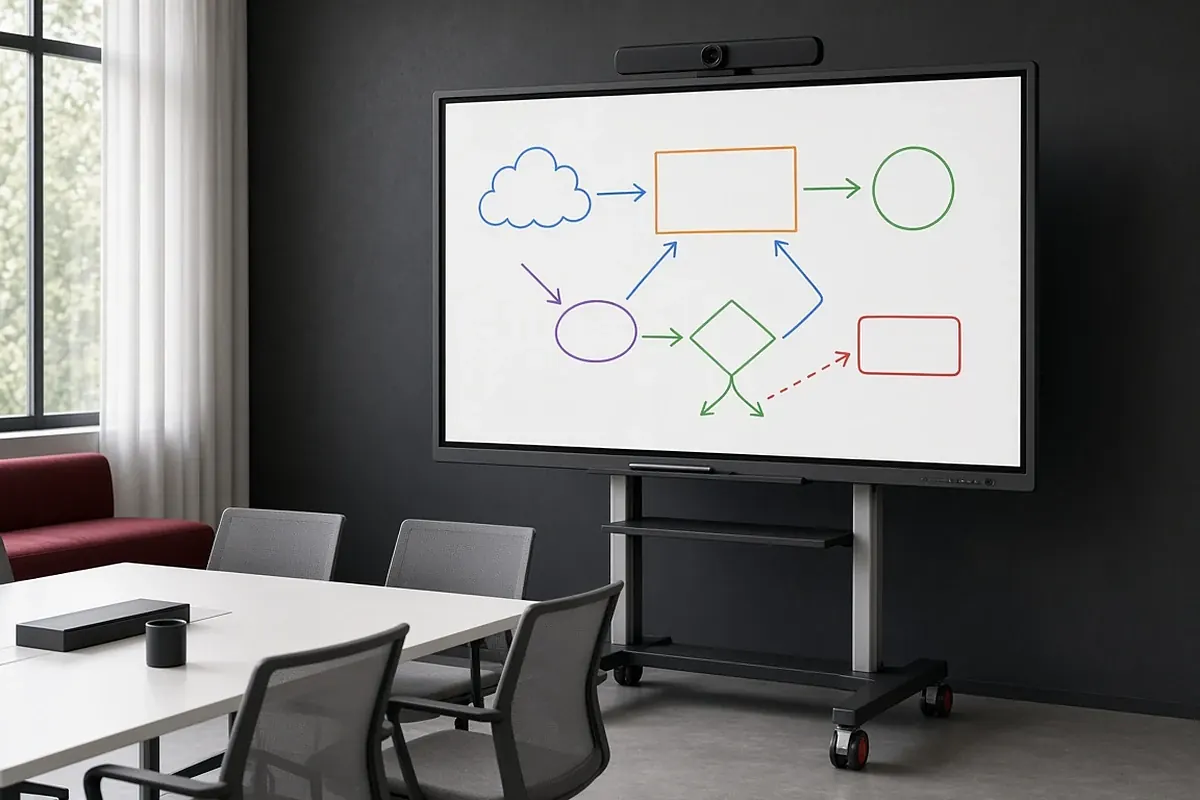
A practical guide to interactive flat panels (IFPD) for meeting rooms: touch technology, Android and Windows modules, wireless sharing and mounting.
Interactive flat panels, often called IFPDs or smart boards, have replaced the whiteboard and projector in many meeting rooms. A good panel lets a team sketch an idea, annotate a drawing, share a laptop wirelessly and join a video call from one screen. A poor choice becomes an expensive television that nobody touches. This guide explains what to look for when choosing interactive panels for corporate meeting spaces in Pakistan, and how to plan the installation so the panel is used every day.
What an interactive flat panel is
An IFPD is a large format display with a built in touch layer, an embedded operating system and a set of collaboration apps. Panels are available from many makers, including Samsung, ViewSonic, BenQ, Promethean, SMART, Newline, Huawei and Maxhub. Most share a common set of features: multi-touch writing with pens or fingers, whiteboard software, screen mirroring from laptops and phones, and USB and HDMI connections for cameras and computers.
Touch technology and glass
How the panel senses touch and how its glass is built have a big effect on the writing experience.
- Infrared (IR) touch: a frame of infrared sensors around the screen detects fingers and pens. It is common, durable and suits larger panels.
- Projected capacitive (PCAP) touch: similar to a smartphone, with a smooth, precise feel and a flush front. It is often found on premium meeting room panels.
- Optical bonding: also called zero bonding, this removes the air gap between the glass and the LCD, so the ink appears directly under the pen tip rather than slightly offset.
- Anti-glare glass: essential in rooms with windows or strong downlights, which are common in modern glass offices.
For meeting rooms where people annotate detailed drawings, optical bonding and good palm rejection matter more than headline resolution.
Android, Windows or both
Most panels include an Android system for whiteboarding and basic apps. Many also accept an OPS slot in computer, a module that slides into the back of the panel and runs Windows.
| Option | Suits | Consider |
|---|---|---|
| Built in Android | Whiteboarding, wireless sharing, simple meetings | App availability, security updates, Google certification on newer panels |
| OPS Windows module | Microsoft Office, engineering software, full desktop apps | Windows licensing, domain joining, antivirus and patching by IT |
| Connected room system | Rooms that run Microsoft Teams Rooms or Zoom Rooms | Certification of the panel and room system for your platform |
Ask your IT team early which option they can support. A Windows module that is not managed and patched becomes a security risk on the corporate network.
Video conferencing on an IFPD
An interactive panel is a natural front of room screen for hybrid meetings. Add a camera bar above or below the panel, or choose a model with a built in camera and microphone array for small rooms. For larger rooms, a dedicated room system with ceiling microphones and loudspeakers will sound far better than the panel's built in audio. Many organisations use two screens: a standard display for the far end participants and the interactive panel for shared content and whiteboarding.
Wireless sharing and BYOD
People should be able to walk in and share from any laptop or phone. Check which methods the panel supports, such as Miracast, AirPlay, Google Cast or the maker's own app, and confirm they work on your corporate and guest networks. Many IT teams keep guests on an isolated network. A dedicated wireless presentation system, such as Barco ClickShare, can provide a consistent experience across all rooms regardless of panel brand.
Sizing and mounting
Choose the size from the room depth and the way the panel will be used. People need to reach the top of the screen to write, so mounting height matters as much as size. Options include:
- Fixed wall mount: neat and secure, set at a height that suits both standing writers and seated viewers.
- Mobile stand: lets one panel serve several rooms, useful in flexible offices.
- Height adjustable or motorised mount: lets users lower the panel to write and raise it for presentation, and helps accessibility.
- Tilting table mode: some stands lay the panel almost flat for workshop style collaboration.
Confirm that the wall can carry the weight. Large panels are heavy, and plasterboard partitions usually need reinforcement or a floor supported mount.
Management and security
With more than a few panels, central management becomes important. Most makers offer device management software to push updates, apps and settings, lock down the home screen, and power panels off out of hours. Agree with IT how panels will be updated, how whiteboard files are saved and where they are stored, and whether local files are wiped after each meeting so confidential notes do not stay on the screen.
Power and environment in Pakistan
Interactive panels contain a computer as well as a display, and sudden power loss can corrupt the system. Connect each panel, its OPS module and any camera to a UPS, and add surge protection where the supply is unstable. Keep ventilation gaps clear behind wall mounted panels, particularly in rooms where air conditioning is switched off during load shedding. Dust is another enemy in many cities, so include periodic cleaning of vents and the touch frame in your maintenance plan.
Driving adoption
The difference between a panel that transforms meetings and one that gathers dust is often training. Run short sessions for each team, leave a simple one page guide in the room, and set the home screen to the three things people use most: whiteboard, share screen and join meeting. Review usage after a few weeks and adjust.
Checklist before you buy
- Is the touch technology and glass suited to how people will write on it?
- Will the panel run Android only, or does it need a managed Windows module?
- Is it certified for your meeting platform, or will it be paired with a room system?
- Which wireless sharing methods work on your corporate and guest networks?
- Can the wall carry it, and is the mounting height right for writers and viewers?
- Is device management software included, and who in IT will own it?
Frequently asked questions
Is an interactive flat panel better than a projector for meeting rooms?
For most meeting rooms, yes. Panels are brighter in daylit rooms, need no lamp changes, and support touch collaboration. Projection still suits very large images in rooms where light can be controlled.
Do we need a Windows OPS module?
Only if users need full Windows applications on the panel itself. Many rooms work well with the built in Android system plus a room system or wireless sharing.
Can an IFPD run Microsoft Teams or Zoom?
Some panels are certified for these platforms, and any panel can act as the display for a separate room system. Check certification for the exact model.
What is optical bonding and does it matter?
It removes the gap between glass and screen, so writing appears exactly under the pen. It matters most for detailed annotation and handwriting.
How do we keep confidential notes secure?
Use device management to wipe sessions after meetings, save files to approved company storage, and keep guests on an isolated network.
Should panels be on a UPS?
Yes. A UPS protects the panel's internal computer from sudden shutdowns during load shedding and from voltage spikes.
Choose the right panel
Media K Solutions supplies interactive touchscreen displays and meeting room AV for corporate and government clients, and smart classroom technology for educational institutions.
Speak to Media K Solutions: call or WhatsApp +92 300 846 7101, or email info@mediaksolutions.com.
Planning a project? Call +92 300 846 7101, email info@mediaksolutions.com or request a quote.