- Call / Whatsapp : +92 300 8467101
- PKR - Pakistan

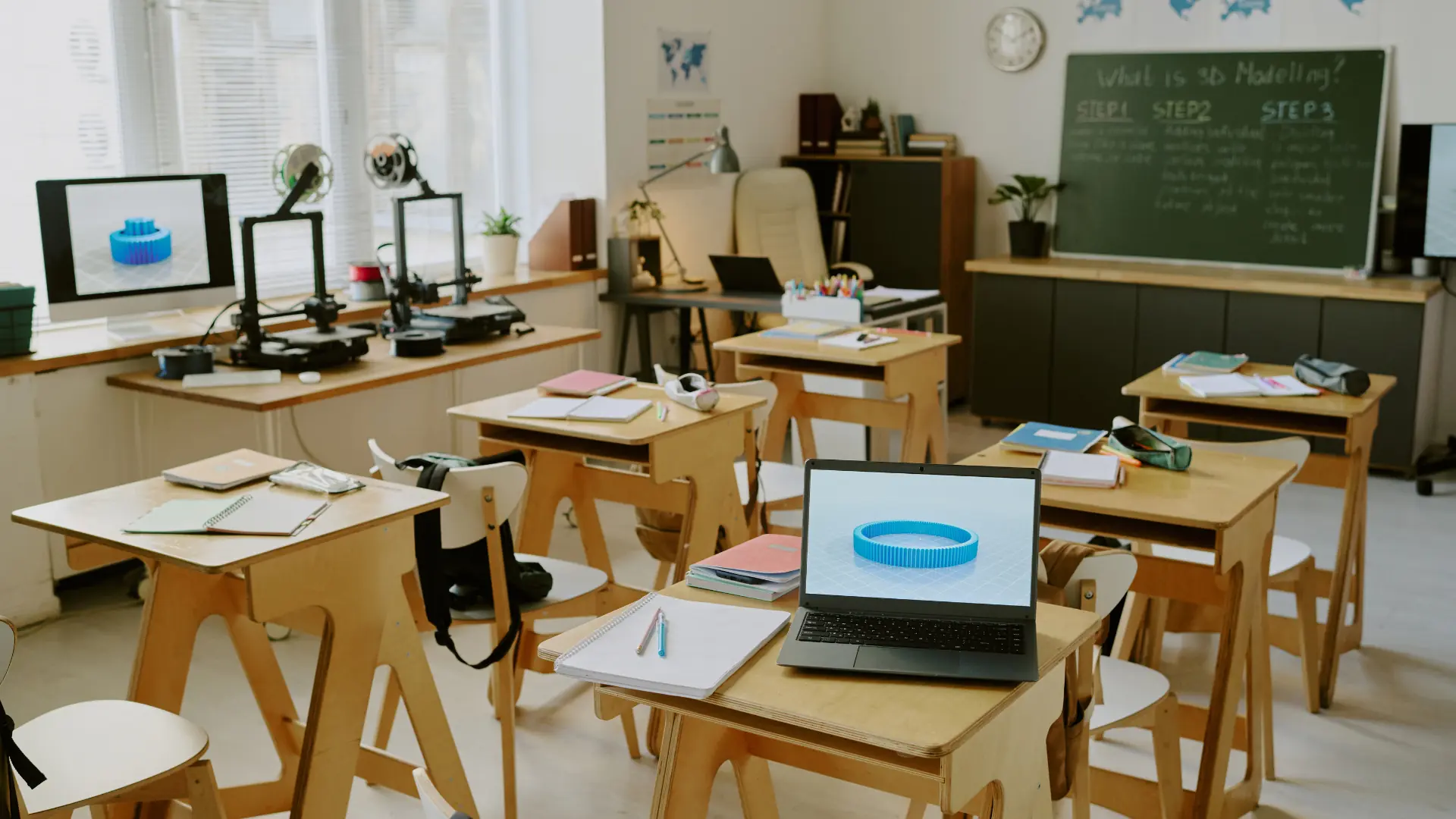

Smart classrooms use technology to boost engagement, collaboration, and personalized learning, offering benefits like greater participation, resource access, and career readiness. With tools like interactive whiteboards, LMS, and VR/AR, their success depends on careful planning, training, and overcoming challenges, as future trends like AI and 5G drive further evolution.
Smart classrooms are technology-enhanced learning spaces that seem likely to transform education by making it more interactive and engaging. They use tools like interactive whiteboards, tablets, and internet connectivity to create dynamic environments where students actively participate. Unlike traditional classrooms, smart classrooms adapt to diverse learning styles, helping students and teachers work more effectively. For example, a history teacher might use an interactive whiteboard to display a timeline that students can manipulate, making lessons more vivid and memorable.
The evidence leans toward smart classrooms significantly improving learning outcomes. They engage students through hands-on activities, such as virtual reality field trips, and allow teachers to personalize lessons using data from learning management systems. Students gain access to online resources, fostering curiosity, while teachers save time on tasks like grading. These classrooms also prepare students for tech-driven careers, though some argue traditional methods still have value for foundational skills.

Creating a smart classroom involves several steps, starting with assessing your school’s needs and budget. Research suggests selecting user-friendly technologies, like SMART Boards, and designing flexible spaces with movable furniture. Teacher training is crucial to ensure comfort with tools, and ongoing technical support prevents disruptions. Schools can start with a pilot program to test the setup before scaling up, balancing innovation with practicality.
Emerging technologies, such as AI for personalized learning and 5G for faster connectivity, are poised to further enhance smart classrooms. While challenges like cost and teacher readiness exist, solutions like grants and phased implementation can help. By embracing these tools, schools can create inclusive, future-ready learning environments that inspire students.

In today’s digital age, education must evolve to meet the needs of students who are accustomed to technology from an early age. Traditional classrooms, with their reliance on static tools like chalkboards, often fall short in engaging these digital natives or preparing them for a technology-driven future. Interactive smart classrooms address this gap by integrating advanced technologies to create dynamic, engaging, and inclusive learning environments. These spaces leverage tools like interactive whiteboards, virtual reality (VR), and learning management systems (LMS) to foster collaboration, personalize learning, and enhance educational outcomes.
This comprehensive guide explores the best practices for creating interactive smart classrooms, drawing on insights from educational technology experts and real-world implementations. We’ll cover the definition, benefits, key technologies, design considerations, implementation strategies, challenges, and future trends. By the end, educators, administrators, and policymakers will have a clear roadmap to transform their classrooms into hubs of modern learning.
A smart classroom is an educational space equipped with advanced technology to enhance teaching and learning. Unlike traditional classrooms that rely on passive tools, smart classrooms integrate digital solutions to facilitate interactive and collaborative education. According to ClassVR, these classrooms allow teachers to adapt lessons to individual student needs, moving beyond textbooks to a range of edtech tools.
Interactive Whiteboards (IWBs): Touch-sensitive screens for displaying and manipulating digital content, such as those from SMART Technologies.
Projectors and Displays: High-resolution devices for sharing educational materials with the class.
Computers and Tablets: Provide access to educational apps and online resources.
Internet Connectivity: Enables real-time access to digital platforms and collaborative tools.
Audio Systems: Ensure clear communication and multimedia playback.
Learning Management Systems (LMS): Platforms like Moodle or Canvas for organizing course content and tracking progress.
Virtual and Augmented Reality (VR/AR): Offer immersive experiences, such as virtual field trips via ClassVR.
Smart classrooms differ from traditional setups by their adaptability and interactivity, enabling teachers to deliver multimedia-rich lessons and students to engage actively with content.

The adoption of smart classrooms offers significant advantages, supported by research and case studies.
Enhanced Engagement: Interactive tools like IWBs and VR make lessons more engaging. For instance, BenQ Education notes that history teachers can visually represent timelines, increasing student participation.
Personalized Learning: LMS platforms track student progress, allowing teachers to tailor instruction, as highlighted by Protech Projection.
Access to Resources: Internet connectivity provides access to online libraries, simulations, and videos, expanding learning opportunities.
Collaborative Learning: Shared whiteboards and group activities foster teamwork, as emphasized by Teach Your Kids Code.
Career Preparation: Familiarity with digital tools prepares students for tech-driven careers, a point underscored by a NYC school case study on Scholastic.
Teacher Productivity: Digital tools streamline tasks like lesson planning and grading, saving time.
Accessibility: Features like text-to-speech enhance inclusivity for students with disabilities.
These benefits make smart classrooms a powerful tool for modern education, though some educators argue that traditional methods remain essential for foundational skills.
Selecting the right technologies is critical for creating an effective smart classroom. Based on insights from CMIT Solutions, here are the essential tools:
Interactive Whiteboards: Enable teachers and students to interact with digital content. BenQ’s IWBs support simultaneous collaboration.
Learning Management Systems: Platforms like Canvas or Google Classroom organize course materials and facilitate communication.
VR/AR Tools: Provide immersive experiences, such as exploring 3D models with ClassVR.
Mobile Devices: Tablets with apps like Kahoot! enhance interactive learning.
Audio and Video Systems: Ensure clear communication and support remote collaboration via tools like Zoom.
Document Cameras: Display physical documents or objects, integrating traditional teaching with digital tools.
Classroom Response Systems: Tools like Nearpod enable instant feedback and engagement.
The physical design of a smart classroom is crucial for its success. Teach Your Kids Code emphasizes flexibility and comfort.
Flexible Furniture: Movable desks and chairs support various activities, from group work to lectures.
Ergonomics: Adjustable seating reduces fatigue and supports posture.
Collaborative Spaces: Group tables or lounge areas encourage teamwork.
Technology Placement: IWBs and projectors should be easily accessible and visible.
Lighting and Acoustics: Adjustable lighting and sound-absorbing panels create a comfortable environment.
Storage: Charging stations and cabinets keep devices and supplies organized.
Aesthetics: Inviting decor enhances student motivation.
Implementing smart classrooms requires a structured approach, as outlined by Medium’s guide.
Define Vision: Set goals based on student and teacher needs.
Assess Needs: Evaluate current infrastructure and readiness.
Budget: Secure funding through grants or partnerships.
Select Technologies: Choose user-friendly, scalable tools.
Design Layout: Plan the physical space for optimal technology use.
Train Teachers: Provide comprehensive training, as seen in the NYC school case study (Scholastic).
Pilot Program: Test in a few classrooms to refine the approach.
Technical Support: Ensure reliable support to minimize disruptions.
Evaluate Impact: Use data to assess outcomes and make improvements.
NYC School District: Implemented SMART Boards, leading to increased engagement and tech readiness (Scholastic).
Singapore International School: Used VR for immersive learning, boosting motivation.
Rural Indian School: Leveraged low-cost tablets and open-source software to enhance access to education.
Cost: Use grants or phased implementation (Protech Projection).
Teacher Resistance: Offer ongoing training and support (Scholastic).
Technical Issues: Invest in reliable support systems.
Equity: Provide devices for loan to ensure access.
Maintenance: Budget for regular upkeep.
Emerging technologies will shape smart classrooms, as noted by African SME:
AI: Personalizes learning and automates tasks.
5G: Enhances connectivity for real-time collaboration.
Advanced VR/AR: Offers more immersive experiences.
IoT: Monitors classroom conditions for optimal learning.
Cloud Computing: Simplifies content storage and sharing.
Interactive smart classrooms are transforming education by creating engaging, inclusive, and future-ready learning environments. By integrating technologies like IWBs, LMS, and VR, designing flexible spaces, and addressing challenges through training and support, schools can enhance learning outcomes. As trends like AI and 5G emerge, smart classrooms will continue to evolve, ensuring education remains relevant. Educators and administrators should act now to embrace this revolution, starting with a needs assessment and pilot program to build classrooms that inspire and empower.
Call to Action: Ready to create smart classrooms? Explore technologies and plan your implementation to transform education for your students.
We are proud of the quality of service we provide for all orders and questions from customers. Our customer care team's combined experience and skills, together with our wide choice of products and quick order fulfilment, have helped us establish a solid reputation for providing excellent customer support & service.
Any Query Related Sales
09:00AM to 06:00PM
We welcome comments and feedback about how easy you find the Media K Solutions website to use, which can be communicated by clicking on the Contact Page. If you have questions about delivery, products, service or anything else for that matter, please contact us via live-chat, during office hours, email or telephone. Thanks

 en-gb
en-gb Germany