How to Plan a Conference Room AV Budget
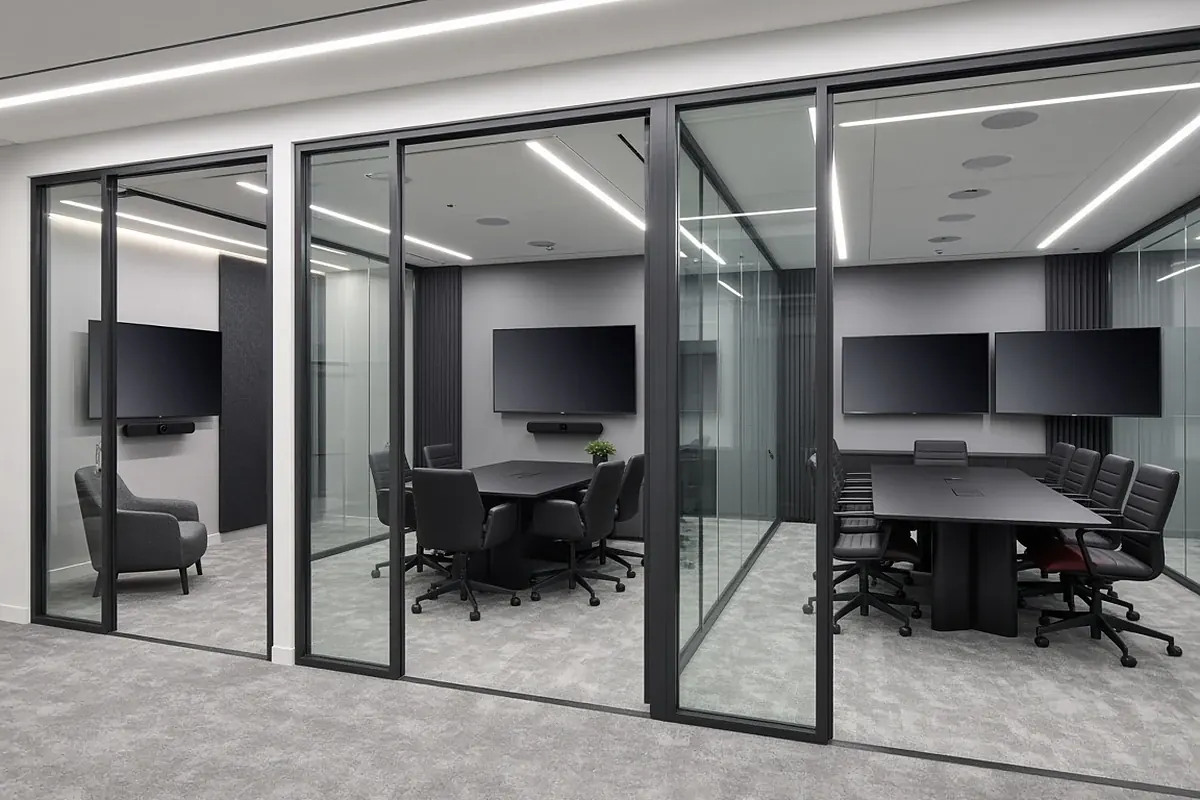
How to plan a conference room AV budget: room tiers, the factors that drive scope, and how to phase a project so the budget goes where it matters.
When a company plans a new office or refurbishes meeting rooms, one of the first questions from finance is how much to set aside for audio-visual systems. The honest answer is that it depends on decisions that are often not yet made: how many rooms, how large, which meeting platform, and how much the rooms must do. This guide does not give price lists, because any figure without a site survey is a guess. Instead it explains how to structure an AV budget so that it is realistic, defensible in front of management and easy to compare between suppliers.
Step 1: Classify your rooms into tiers
The single most useful budgeting step is to group rooms by type and design a standard for each. A typical corporate floor in Lahore, Karachi or Islamabad has four or five room types:
| Tier | Typical use | Typical system |
|---|---|---|
| Huddle room | Small team calls and quick screen sharing | Single display, all in one video bar, touch controller |
| Medium meeting room | Department meetings and client calls | Larger display, video bar or camera with extension microphones, wireless sharing |
| Boardroom | Board meetings, investor calls, senior presentations | Dual displays or LED wall, multi-camera, ceiling or delegate microphones, DSP, control system |
| Training or divisible room | Workshops, training and events that may split into two rooms | Projection or large displays, lectern, room combining, wireless microphones |
| Town hall or auditorium | All hands meetings, launches, hybrid events | Sound reinforcement, stage lighting, camera production, streaming |
Once each tier has a standard design, the budget becomes a simple matter of multiplying the standard by the number of rooms, plus the shared infrastructure. It also makes every room work the same way for users.
Step 2: Understand what drives scope
Within each tier, a handful of factors decide whether a room needs a simple system or a complex one.
Room size and seating
Larger rooms need bigger images, more microphones, more loudspeakers and often more than one camera. A second row of seats against the wall can double the microphone coverage required.
Meeting platform and licences
Microsoft Teams Rooms and Zoom Rooms both need a room licence per room, separate from user licences. Choosing certified hardware that matches your platform avoids expensive changes later.
Display technology
Large format LCD screens, direct view LED walls and laser projection have very different scopes. LED walls in particular bring structural, power and ventilation requirements that must be budgeted alongside the display itself.
Audio coverage and acoustics
Ceiling array microphones and a DSP add capability and need commissioning time. Rooms with glass walls and hard floors may also need acoustic treatment, which belongs in the AV budget conversation even if the interior contractor installs it.
Control and integration
A room that only runs video calls needs a simple touch controller. A room that also controls lighting, blinds, multiple sources and recording needs a programmed control system and more engineering time.
Infrastructure
Cabling, containment, floor boxes, network ports, AV racks and dedicated power circuits are often forgotten until the ceilings are closed. They are far cheaper to include at design stage than to retrofit.
Power protection
In Pakistan, an online UPS, surge protection and in some buildings voltage stabilisation are essential to protect equipment from load shedding, generator changeovers and fluctuating supply. Budget for them in every room that runs a meeting system.
Step 3: Do not forget the hidden lines
Comparing quotations is difficult when suppliers include different things. Make sure every proposal covers:
- Design and engineering drawings.
- Equipment, mounts, cables and connectors.
- Installation, termination and labelling.
- Programming of DSP and control systems.
- Commissioning, testing and user acceptance.
- Training for users and IT administrators.
- As-built documentation.
- Warranty terms, and the cost of support after the warranty period.
- Software and platform licences, with their renewal dates.
A lower quotation that leaves out programming or commissioning is not cheaper. It simply moves the cost to the day the room fails in front of a client.
Step 4: Plan for the whole life of the system
An AV budget should cover more than the installation. Think about the total cost of ownership over the expected life of the system:
- Licences and subscriptions: room licences, management portals and cloud services renew every year.
- Maintenance: preventive maintenance visits and a support contract keep rooms reliable.
- Replacement cycle: codecs and room PCs have a shorter life than loudspeakers or cabling.
- Energy: scheduled power down and efficient displays reduce running costs.
Step 5: Phase the project sensibly
If the full scope does not fit this year's budget, phase it rather than lowering the standard of every room. Sensible phasing usually looks like this:
- Infrastructure first: install cabling, containment, power and network for all rooms while the fit-out is open.
- Critical rooms next: complete the boardroom and the most used meeting rooms to the full standard.
- Remaining rooms later: add equipment to the prepared rooms in later phases without disturbing finished ceilings.
This approach avoids the most expensive mistake in AV budgeting: building rooms that cannot be upgraded without breaking open the ceiling.
Step 6: Write a clear requirement
A good brief makes budgets accurate. Include the room list, seating capacities, preferred meeting platform, any brand standards from head office, the use cases for each room, and drawings of the floor. With this information, an integrator can propose tier designs, and you can compare like with like. For larger projects and public sector work, a formal bill of quantities and tender document is the next step.
Questions to ask every supplier
- Is the proposed hardware certified for our meeting platform?
- Which items are included for programming, commissioning and training?
- What UPS and power protection is included for each room?
- How will rooms be monitored and supported after handover, and in which cities do you have engineers?
- Which parts of the design allow future upgrades without new cabling?
Frequently asked questions
Why will an integrator not give a price without a survey?
Because room size, acoustics, ceiling type, power and network availability all change the scope. A survey turns a guess into a design you can rely on.
What is the biggest budgeting mistake?
Leaving out infrastructure, programming and commissioning. Rooms that look complete on paper often fail because these items were never included.
Should every room get the same system?
No. Rooms of the same tier should share a standard, but a huddle room and a boardroom need very different systems.
Is it better to buy cheaper equipment for more rooms?
Usually not. It is better to equip fewer rooms properly and prepare the rest with infrastructure for a later phase.
Do we need to budget for a UPS?
Yes. In Pakistan, power backup and protection are part of a reliable AV system, not an optional extra.
What ongoing costs should we expect?
Platform licences, support and maintenance contracts, and eventual replacement of computers and codecs. Ask for these to be listed separately in every proposal.
Plan with confidence
Media K Solutions plans audio-visual systems around each client's budget and requirements, with the infrastructure to support them. We are happy to survey your rooms and propose tiered designs you can phase over time.
Speak to Media K Solutions: call or WhatsApp +92 300 846 7101, or email info@mediaksolutions.com.
Planning a project? Call +92 300 846 7101, email info@mediaksolutions.com or request a quote.