Boardroom AV Design Guide for Pakistani Offices
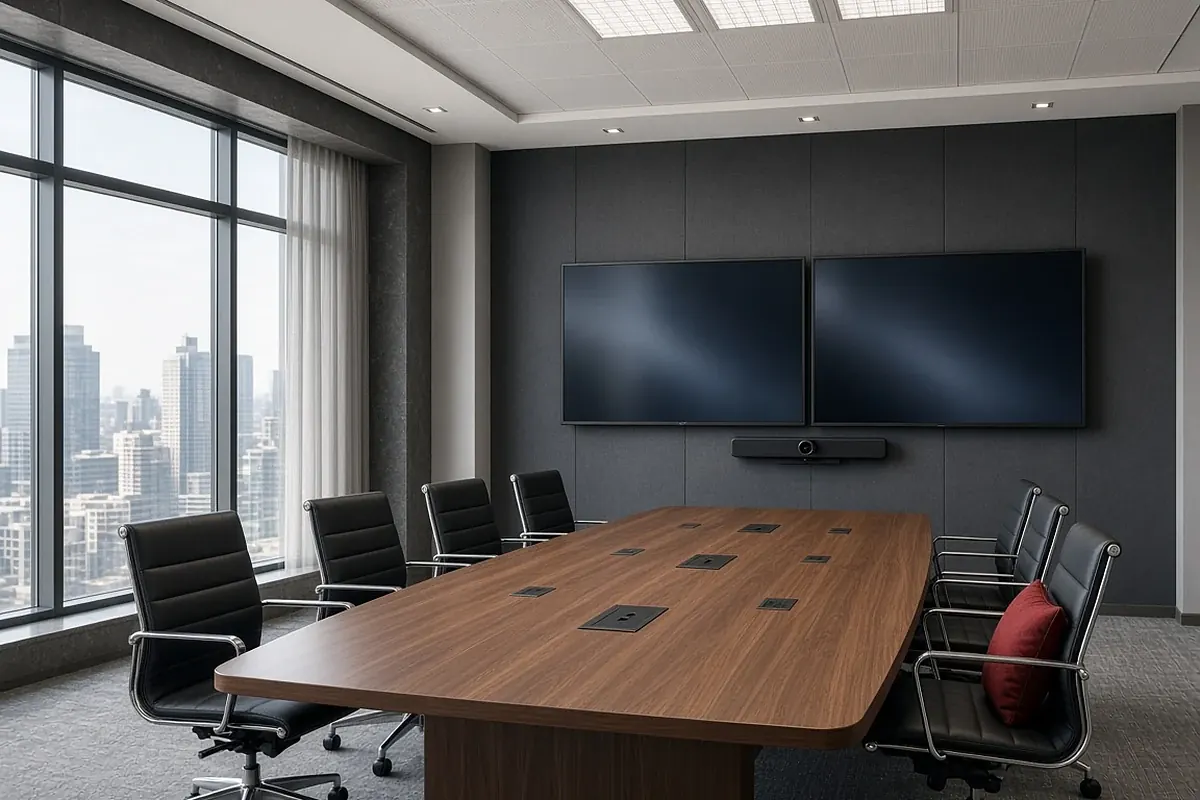
A practical boardroom AV design guide for Pakistani offices: room survey, displays, cameras, ceiling microphones, acoustics, control and backup power.
A boardroom is where the most expensive decisions in a company are made, so the technology in it has to work first time, every time. When a chairman waits while someone hunts for the right cable, or a remote director in Dubai cannot hear the person at the far end of the table, the room has failed. Good boardroom AV is not about buying the most impressive screen. It is about designing a complete system around the room, the people who use it and the conditions it has to survive, including power cuts, generator changeovers and summer heat.
This guide walks through the design process our engineers follow for corporate headquarters in Lahore, Karachi and Islamabad. It goes deeper than a list of components: it explains the decisions that separate a boardroom people trust from one they avoid.
Start with a room survey, not a product list
Every reliable boardroom starts with a site survey. Before choosing any equipment, an engineer should record:
- Room geometry: length, width, ceiling height and the position of columns, windows and doors.
- Seating plan: the number of seats at the table, any second row against the walls, and where the chair sits.
- Surfaces: glass walls, marble or tiled floors and hard ceilings all reflect sound and affect microphone choice.
- Daylight: large windows facing the display wash out the image and silhouette the people facing the camera.
- Services: HVAC diffusers, ceiling void depth, existing containment and the distance to the nearest network and power points.
- Use cases: board meetings, investor calls, presentations, hybrid town halls or confidential sessions that must not be recorded.
Write these down as a short brief and agree it with the client before anyone draws a schematic. Most problems in finished boardrooms trace back to a use case nobody asked about.
Displays: size them from the back of the room
Display size should be chosen from the distance to the farthest seat, not from the width of the wall. A widely used method is the AVIXA DISCAS standard, which links image height to viewing distance and to how detailed the content is. Spreadsheets and engineering drawings need a larger image than video calls. In practice this often means a pair of large displays or a direct view LED wall for long boardroom tables, rather than a single screen that looks large from the door but too small from the chair.
LCD, LED or projection
| Option | Strengths | Points to check |
|---|---|---|
| Large format LCD | Sharp, bright, simple to install and replace | Size ceiling, bezel if tiled, glare from windows |
| Direct view LED | Seamless large image, very bright, premium look | Pixel pitch for viewing distance, heat, power and ventilation |
| Laser projection | Very large image where wall space allows | Ambient light control, screen quality, fan noise |
For dual display rooms, a common layout is far end video on one screen and shared content on the other, so remote participants never disappear when someone presents.
Cameras: frame people, not furniture
Place the camera at or just below the display, at the eye line of seated participants. For narrow, long boardrooms, a single wide video bar often shows the table as a corridor of shoulders. Better options include:
- A PTZ camera with speaker tracking that frames whoever is talking.
- Multi-camera systems that switch between views automatically, available from makers such as Poly, Neat, Logitech and Cisco.
- Intelligent framing that creates a gallery of individual faces for the far end.
Light the faces, not just the table. Even front lighting at a neutral colour temperature does more for image quality than a more expensive camera.
Audio: the part remote participants judge you on
Remote participants forgive a soft image, but they will not forgive audio they cannot follow. Boardroom audio has three jobs: pick up every voice clearly, play back the far end naturally, and prevent echo.
Microphones
Ceiling array microphones, such as the Shure MXA series or Sennheiser TeamConnect Ceiling, keep the table clear and steer pickup lobes towards seats. They work best with a reasonable ceiling height and a quiet HVAC system. Table microphones or gooseneck delegate units suit formal boards where each member must speak in turn, or rooms with very high or noisy ceilings. Many boardrooms combine both.
Processing
A digital signal processor (DSP) handles acoustic echo cancellation, automatic mixing, noise reduction and gain sharing. Networked audio using Dante or AES67 keeps cabling simple between microphones, DSP and amplifiers. The DSP is also where the room is tuned during commissioning, so allow time for it.
Loudspeakers
Ceiling loudspeakers spread far end speech evenly along the table, so the person at the end hears the same level as the chair. Avoid relying on display speakers in rooms with more than a few seats.
Acoustics: fix the room before the equipment
Glass partitions, stone floors and plasterboard ceilings are popular in new offices in Gulberg, DHA and Blue Area towers, and they make rooms echo. No microphone can fully undo a reverberant room. Practical treatment includes acoustic ceiling tiles, fabric wall panels behind and opposite the display, carpet or rugs, and heavy curtains on glass. Aim for a short, even reverberation time and low background noise from air conditioning, then let the DSP do the fine work.
Control and content sharing
Users should be able to start a meeting, share a laptop and adjust volume from one touch panel, without a manual. Options include native room systems for Microsoft Teams Rooms or Zoom Rooms, and control platforms from Crestron, Extron or similar makers for rooms with lighting, blinds and multiple sources. Wireless presentation, such as Barco ClickShare, lets guests share without hunting for adapters, while a wired HDMI or USB-C input remains as a dependable backup.
Power, backup and infrastructure in Pakistan
This is where many boardrooms in Pakistan fail. Load shedding, generator changeover gaps and voltage fluctuation reboot codecs, corrupt DSP settings and shorten equipment life. Design for it from day one:
- Put the codec, DSP, network switch and control processor on an online double conversion UPS, so a changeover never drops a call.
- Use surge protection and, where supply is poor, voltage stabilisation.
- Give the AV rack its own circuit and proper earthing.
- Ventilate the rack or credenza. Equipment sealed in joinery in a Karachi summer will overheat.
- Run cables in proper containment and floor boxes, label both ends, and leave spare conduit for future upgrades.
Network design matters as much as power. Separate AV and guest traffic with VLANs, give conferencing devices the bandwidth and quality of service they need, and agree firewall rules with the IT team before installation day.
Commissioning and handover
A boardroom is not finished when the last screen is mounted. Commissioning should include microphone coverage tests at every seat, echo cancellation checks with a real far end call, camera presets, control panel testing, and a full power failure test on UPS. Handover should include as-built drawings, a simple user guide on the table, administrator training and a support contact. These steps are what turn equipment into a system people trust.
Frequently asked questions
How long does a boardroom AV project take?
It depends on the scope and on whether civil and interior work is complete. Design and approvals, equipment lead times, installation and commissioning all play a part. The fastest projects are the ones where AV is planned alongside the interior design rather than after it.
Ceiling microphones or table microphones for a boardroom?
Ceiling arrays give a clean table and work well in rooms with suitable ceiling height and quiet air conditioning. Table or delegate microphones suit formal boards and difficult ceilings. A site survey is the best way to decide, and some rooms use both.
Do we need a UPS for boardroom AV equipment?
Yes, in Pakistan it is essential. An online UPS on the codec, DSP, switch and control processor keeps calls running through generator changeovers and protects equipment from voltage spikes.
Can one boardroom support both Microsoft Teams and Zoom?
Yes. Most modern room systems can join meetings on other platforms, and some certified devices can run either platform natively. Choose the platform your organisation uses most and plan for guest access to the others.
How do we stop echo in a glass walled boardroom?
Combine acoustic treatment, such as ceiling tiles, wall panels and curtains, with a properly tuned DSP that performs echo cancellation. Equipment alone rarely solves a reverberant room.
What should be included at handover?
As-built drawings, device passwords handed to your IT team, a user quick guide, administrator training, warranty details and a clear support route for faults.
Plan your boardroom with Media K
Media K Solutions designs and installs audio-visual systems for corporate, government and education clients, with the technology infrastructure behind them, including cable management and raised flooring. Established in 2021, our team has worked in the Pakistani market since 2003.
Speak to Media K Solutions: call or WhatsApp +92 300 846 7101, or email info@mediaksolutions.com.
Planning a project? Call +92 300 846 7101, email info@mediaksolutions.com or request a quote.